
GNOME Shell を拡張してみた3
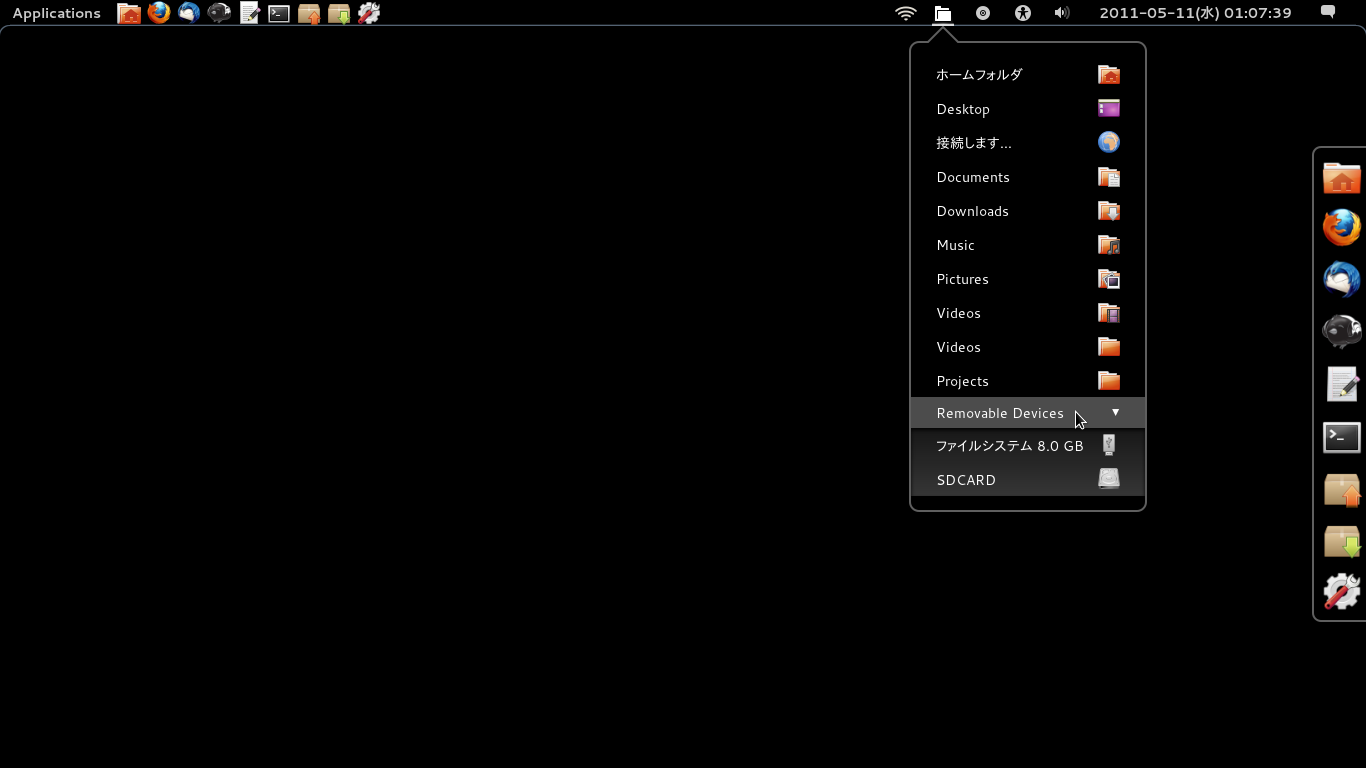
http://git.gnome.org/browse/gnome-shell-extensions/
GNOME Shell をさらに拡張してみた。
Places menu (フォルダの形のアイコン)
主なディレクトリ、お気に入りディレクトリの表示Drive menu (丸い形のアイコン)
リムーバブルドライブの表示
Related Articles
2012-09-24
Changing the date format in nautilus 3.6 list view
https://bugzilla.gnome.org/show_bug.cgi?id=676898http://bugzilla-attachments.gnome.org/attachment.cgi?id=215060 nautilus 3.6 のリストビューでは、あえて更新日付の書式をシンプル(informal)にしているようです。これはこれでアリなのですが、やはり詳細表示されていた方が統一感があって使い勝手がよいような気がするので、昔のISO 日付書式になるようにカスタマイズしてみました。dpkg-buildpackage でfakeroot が効かなかったので、sudo で実行しています。 $ sudo apt-get build-dep nautilus$ mkdir nautilus && cd nautilus$ apt-get source nautilus$ dpkg-source -x *.dsc$ cd nautilus-3.* libnautilus-private/nautilus-file.c#define TODAY_TIME_F...
2014-09-27
Ubuntu GNOME 14.10 + GNOME 3.14 + Wayland
Ubuntu GNOME 14.10 Beta + GNOME 3.14 (3.13.92) をWayland で動かしてみました。テキトーにやっているので、本当にWayland が有効になっているのか、怪しいですけれど。 $ ps -ef | grep waylandhoge 1376 1344 0 17:36 ? 00:00:00 gnome-session --session=gnome-waylandhoge 1454 1376 0 17:36 ? 00:00:00 /usr/bin/ssh-agent /usr/bin/dbus-launch --exit-with-session /usr/bin/im-launch gnome-session --session=gnome-waylandhoge 1457 1 0 17:36 ? 00:00:00 /usr/bin/dbus-launch --exit-with-session /usr/bin/im-launch gnom...
2014-03-01
Ubuntu GNOME 14.04 Beta 1
http://cdimage.ubuntu.com/ubuntu-gnome/releases/14.04/beta-1/ Ubuntu GNOME 14.04 ベータ1 が公開されたのでクリーンインストールしました。ついでにAndroid-x86 もインストールして、3OS のマルチブート環境にしました。 環境DELL Indpiron 1090すでにWindows 8.1 がインストールされています。この第3パーティションにインストールします。 インストール・Ubuntu GNOME 13.10http://cdimage.ubuntu.com/ubuntu-gnome/releases/14.04/beta-1/ $ sudo add-apt-repository ppa:gnome3-team/gnome3-staging$ sudo apt-get update$ sudo apt-get upgrade カスタマイズ$ LANG=C xdg-user-dirs-gtk-update アプリケーションの追加 audacious cairo-dock conky ...
2014-09-23
Fedora 21 wayland
http://tuxdiary.com/2014/09/01/try-wayland-with-gnome/http://fedoraproject.org/wiki/Workstation Fedora 21 Alpha RC1 で、GNOME 3.14 (3.13.91) をwayland で動かしてみました。 ライブISO イメージでFedora 21 を起動 [Ctrl]+[Alt]+[F2] でコンソール起動 liveuser でログインして、以下のコマンドを実行 $ sudo systemctl stop gdm$ sudo dnf install gnome-session-wayland-session$ gnome-session --session=gnome-wayland GDM 終了時に画面が乱れたら、再度[Ctrl]+[Alt]+[F2]を押下する。
2025-03-20
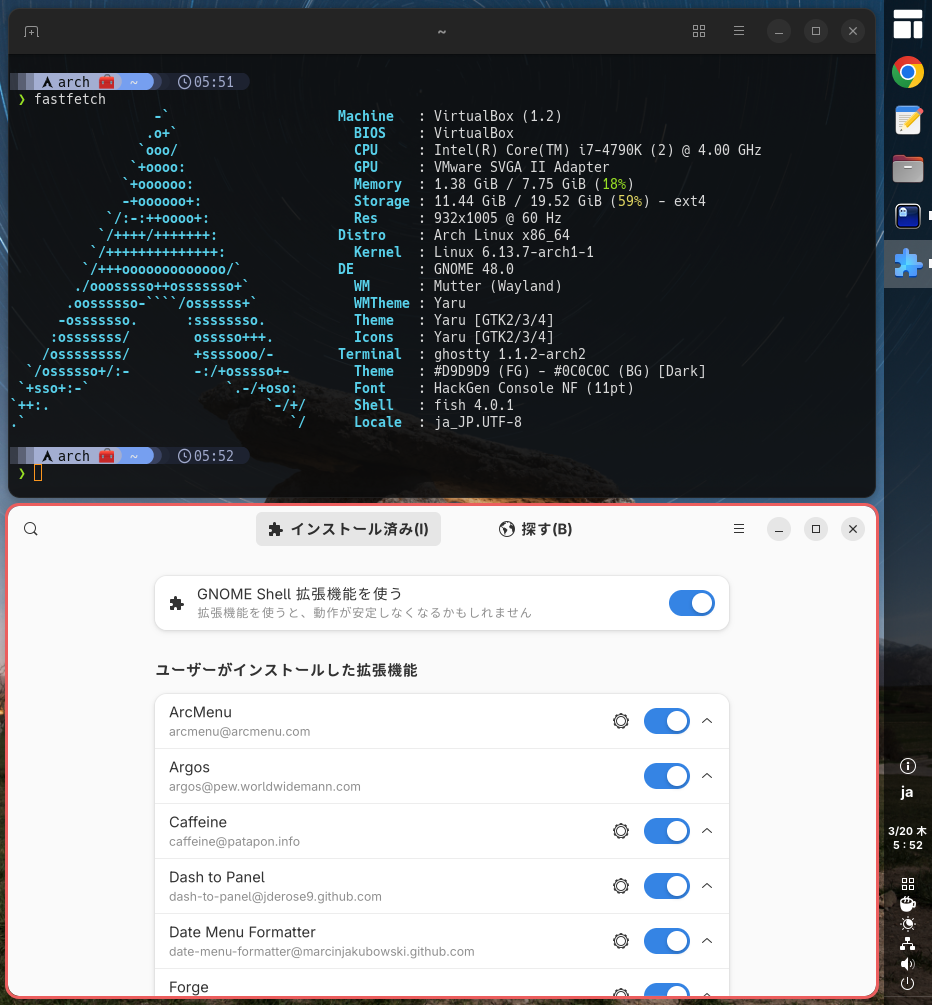
GNOME 48
GNOME 48がリリースされたのでArch LinuxにGNOME 48.0 (gnome-unstableリポジトリ)を導入してみました。https://release.gnome.org/48/https://archlinux.org/groups/x86_64/gnome/ GNOME関連アプリが起動しません。extraリポジトリに反映されるのをまちましょう。 2025-03-23 追記https://archlinux.org/groups/x86_64/gnome/GNOME 48がextraリポジトリに来ました。 Chrome起動時のグローバルショートカットのポップアップ抑止https://www.reddit.com/r/gnome/comments/1jfejor/psa_chromechromiumbased_browsers_and_gnome_48/ ~/.config/chrome-flags.conf--disable-features=GlobalShortcutsPortal 2025-03-20 追記 https://archlinux.org...
2021-03-28
Ubuntu 21.04 Hirsute
https://launchpad.net/~shemgp/+archive/ubuntu/gnome-40Ubuntu 21.04 にGNOME 40 のPPA を設定してみました。 2021-04-07 追記 GNOME 40.0 でDash to Dock 拡張を導入してみました。https://github.com/ewlsh/dash-to-dock/tree/ewlsh/gnome-40https://github.com/micheleg/dash-to-dock/pull/1402 GNOME 40.0 でDash to Panel 拡張を導入してみました。https://github.com/philippun1/dash-to-panel/tree/update-to-gnome40https://github.com/home-sweet-gnome/dash-to-panel/pull/1303 2021-04-08 追記 Auto Hide Top Panel 拡張をGNOME 40 に対応させてみました。http://www.webupd8.or...
Comments