
CachyOS
CachyOSを使ってみました。GUIインストーラなので導入がしやすいですね。

CachyOS — Blazingly Fast OS based on Arch Linux
🚀 CachyOS is an Arch Linux-based distribution that offers an easy installation, several customization options to suit every user, and special optimizations for improved performance while remaining simple.
環境
- CachyOS
- Hyprland
- Caelestia
- Thunar
- Google Chrome
- Hyprland
構築
CachyOS
- ISOをダウンロード
https://cachyos.org/download/ - Ventoyにコピーして起動
https://www.ventoy.net/ - インストールオプション
- Grub
- 日本語
- Hyprland
- btrfs
- Firefoxパッケージを除外
追加パッケージ
- Thunar
sudo pacman -S thunar gvfs-smb
- メニューバーを非表示
- ステータスバーを非表示
- 日付書式を
YYYY/MM/DD hh:mm:ssに変更 - 閉じるボタンを追加
カスタムウィンドウ装飾を利用を有効にした後で以下コマンドを実行xfconf-query --channel thunar --property /misc-show-close-buttons-in-tabs --create --type bool --set true
- プラグイン
sudo pacman -S thunar-archive-plugin file-roller
- Polkit Agent
https://wiki.hypr.land/Hypr-Ecosystem/hyprpolkitagent/sudo pacman -S hyprpolkitagent
~/.config/caelestia/hypr-user.conf exec-once = systemctl --user hyprpolkitagent.service
- ターミナルを開く設定(caelestiaをインストールした後で実行)
cd ~/.config
mv Thunar Thunar.bak
ln -s /home/arch/.local/share/caelestia/thunar ./Thunar
- Google Chrome
paru -S google-chrome
- fcitx5, mozc
sudo pacman -S fcitx5-im fcitx5-mozc
- HackGenフォント
paru -S ttf-hackgen
- Visual Studio Code https://ktkr3d.github.io/Visual-Studio-Code/
paru -S visual-studio-code-bin
- Jellyfin Desktop
paru -S jellyfin-desktop
- Kodi
sudo pacman -S kodi
- VLC
sudo pacman -S vlc
- Remmina
sudo pacman -S remmina freerdp
- Faugus Launcher https://ktkr3d.github.io/2025/12/06/Faugus-Launcher/
sudo pacman -S faugus-launcher
Caelestia
- Caelestiaのインストール
git clone https://github.com/caelestia-dots/caelestia.git ~/.local/share/caelestia
~/.local/share/caelestia/install.fish - Caelestiaの設定
https://ktkr3d.github.io/2025/11/17/Caelestia/
xdg-user-dirs
- ユーザディレクトリを英語表記に変更
LC_ALL=C.UTF-8 xdg-user-dirs-update --force
- Thunarを起動して各フォルダをCtrl+Dでブックマークに登録
時刻の設定
- マルチブート時の時刻ズレ調整
sudo timedatectl set-local-rtc true
Paru
- レビューをスキップ
~/.config/paru/paru.conf [options]
SudoLoop
SkipReview - ビルドの多重度
~/.makepkg.conf MAKEFLAGS="-j $(nproc)"
Vi
- 設定
~/.exrc set showmode
set number
set ruler
set title
set showcmd
Walker
ツール
Hyprland上で起動に失敗するパッケージのワークアラウンド。他に良い方法を調査中。
- gparted
sudo pacman -S gparted
~/.config/fish/config.fish abbr gparted 'pkexec env WAYLAND_DISPLAY="$XDG_RUNTIME_DIR/$WAYLAND_DISPLAY" XDG_RUNTIME_DIR=/run/user/0 gparted'
- btrfs-assistant
~/.config/fish/config.fish abbr btrfs-assistant 'pkexec env WAYLAND_DISPLAY="$XDG_RUNTIME_DIR/$WAYLAND_DISPLAY" XDG_RUNTIME_DIR=/run/user/0 btrfs-assistant'
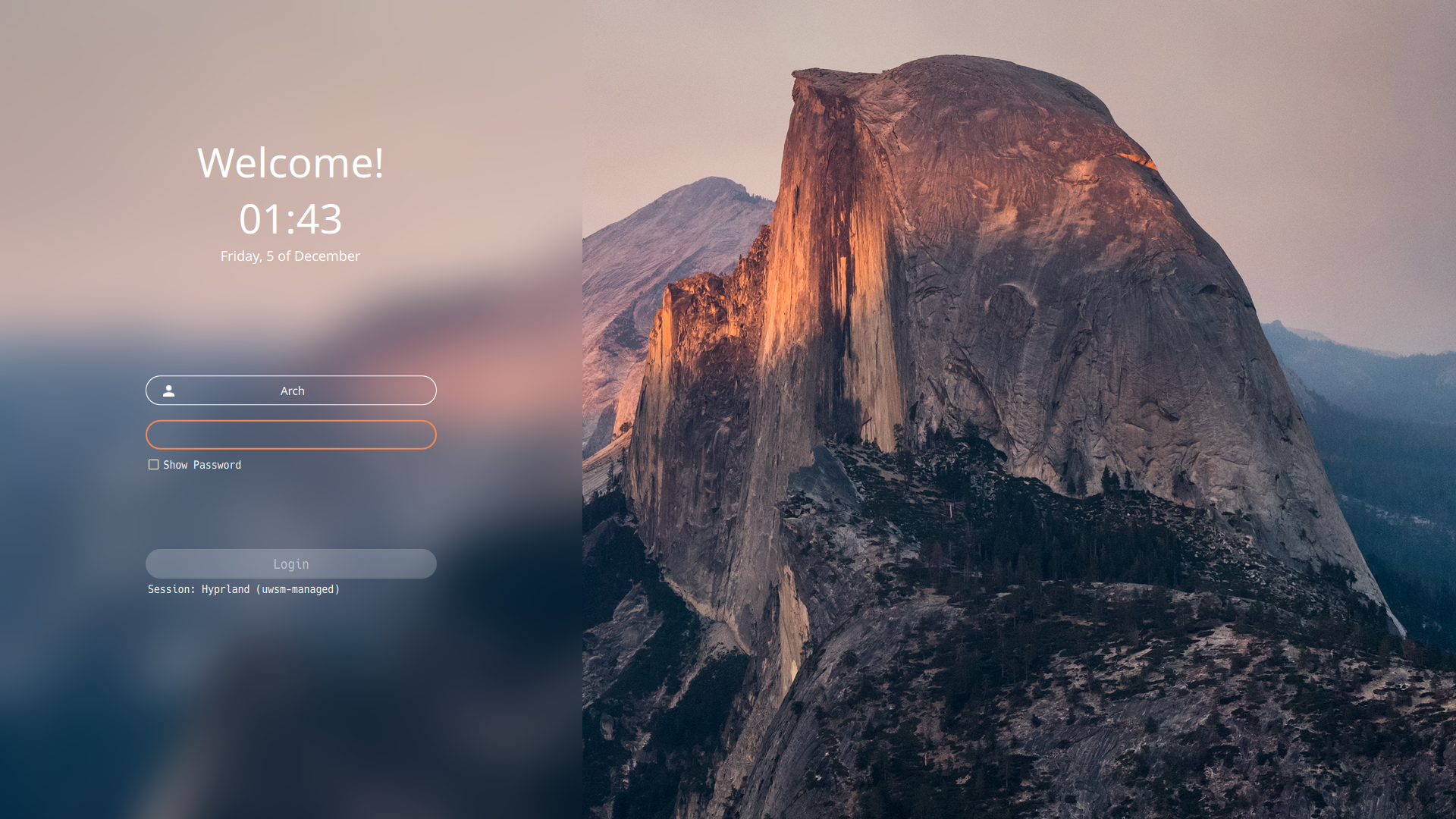
SDDM
SDDMのテーマをSugar Candyに変更
paru -S sddm-sugar-candy-git
/etc/sddm.conf [Theme]
Current=sugar-candyNumLockを有効、2倍に拡大する場合
/etc/sddm.conf [General]
Numlock=on
GreeterEnvironment=QT_SCREEN_SCALE_FACTORS=2,QT_FONT_DPI=192ロケールを
enに変更する場合/usr/share/sddm/themes/sugar-candy/theme.conf Locale="en"
画面を右に90°回転する場合
/usr/share/sddm/scripts/Xsetup xrandr --output DSI-1 --rotate right
PWAアプリケーション
- Code Server
- ルート証明書のインストール
certutil -A -n "My Root CA" -t "TCu,Cu,Tu" -i ~/Downloads/rootCA.pem -d sql:{$HOME}/.pki/nssdb
- PWA化
Google Chromeでcode-serverのURLを表示してPWA化
- ルート証明書のインストール
- Amazon Music
- Google Todoリスト
不要なパッケージを削除する
- kitty
- dolphin
- alacritty
- 不要な依存パッケージを削除
paru -c
ディスプレイ設定
- nwg-displays
sudo pacman -S nwg-displays
Comments