
Raspbian Buster 64bit
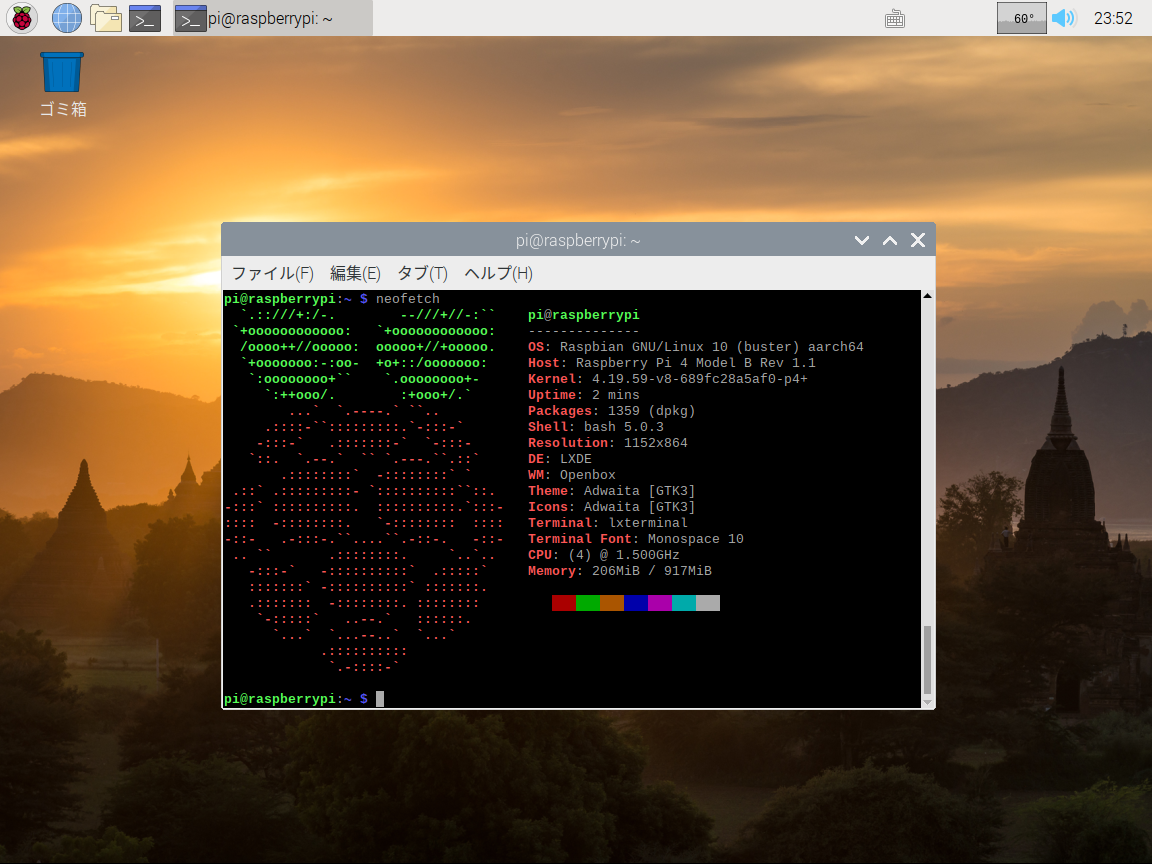
https://www.raspberrypi.org/forums/viewtopic.php?t=246766
- aarch64 カーネル
- メモリ1GB まで利用可能
起動
- マウス、キーボードを接続していると起動しないみたいなので、起動してから接続する
Related Articles
2015-02-23
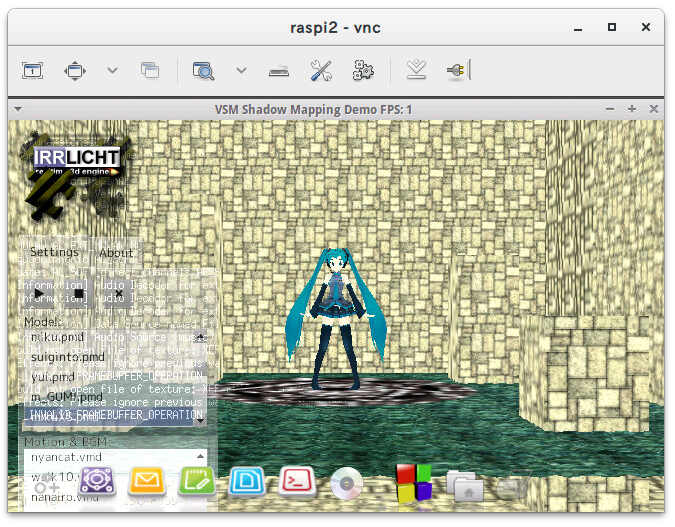
Irrlicht on Raspberry Pi 2
http://ktkr3d.github.io/irrlicht/https://github.com/ktkr3d/irrlicht-sandbox Raspberry Pi 2 でIrrlicht Engine を動かしてみよう! Irrlicht Engine のビルドhttp://sourceforge.net/p/irrlicht/code/HEAD/tree/trunk/からソースを取得 $ cd source/Irrlicht$ make -j4 HelloWorld は普通に動きました。trunk から持ってきたけれど、ogl-es から持ってきた方がよかったかな。 Demo プログラムGL/SL, Sound, MMD のデモを試してみます。 $ git clone https://github.com/ktkr3d/irrlicht-sandbox.git XEffects のデモをexamples ディレクトリに展開します。 cAudio Build$ git clone https://github.com/R4stl1n/cAudio...
2019-08-04
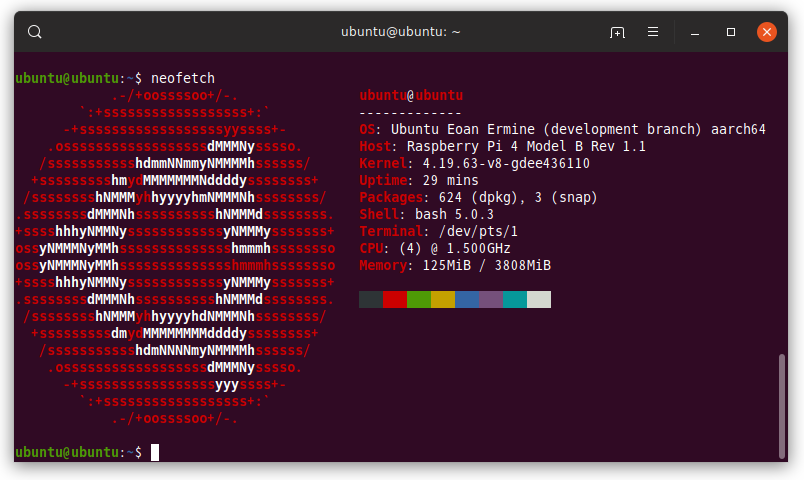
Docker RPi4 ImageBuilder
https://github.com/satmandu/docker-rpi4-imagebuilder RPi4 64bit 用のUbuntu Server イメージを作成する環境を構築してみました。 Update: 2019-08-05 aarch64 でメモリ4GB 起動しました!ubuntu@ubuntu:~$ uname -aLinux ubuntu 4.19.63-v8-gdee436110 #1 SMP PREEMPT Sun Aug 4 05:51:39 UTC 2019 aarch64 aarch64 aarch64 GNU/Linuxubuntu@ubuntu:~$ cat /etc/lsb-release DISTRIB_ID=UbuntuDISTRIB_RELEASE=19.10DISTRIB_CODENAME=eoanDISTRIB_DESCRIPTION="Ubuntu Eoan Ermine (development branch)"ubuntu@ubuntu:~$ free -m -h total ...
2021-10-24
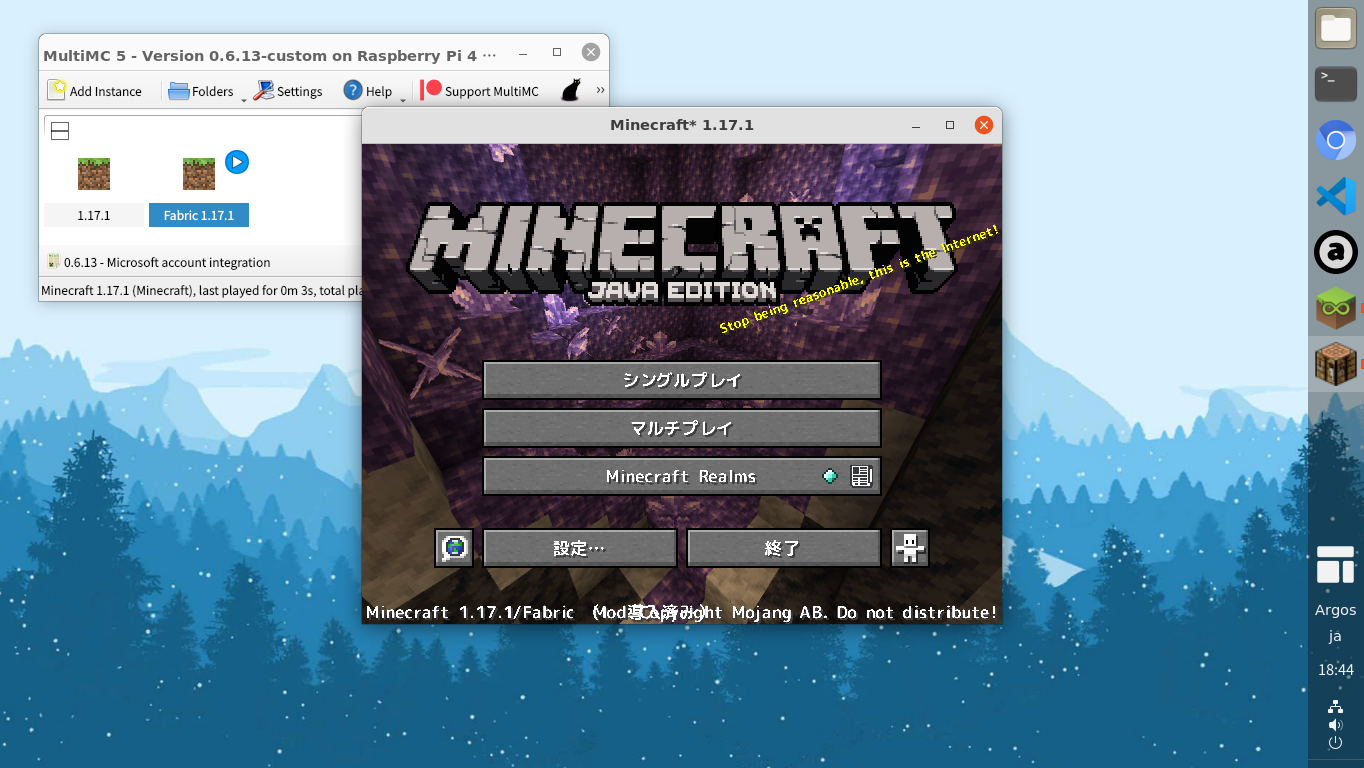
Minecraft Java Edition on Raspberry Pi 4B / Ubuntu 21.10
https://github.com/MultiMC/Launcherhttps://forums.raspberrypi.com/viewtopic.php?f=78&t=321888 Raspberry Pi 4B + Ubuntu 21.10 に Minecraft をインストールしてみました。マイクロソフトアカウントでログインできます。 Minecraft Java Edition (Microsoft Account) Pi-Apps をインストール git clone https://github.com/Botspot/pi-apps.gitcd pi-app./install Pi-Apps を起動 Games / Minecraft Java MultiMC5 をインストールコンパイルが終わるまで気長に待つ。 Minecraft Java MultiMC5 を起動 Add Instance Edit Instance > Version > Install Fabric Edit Instance > Ve...
2019-12-21
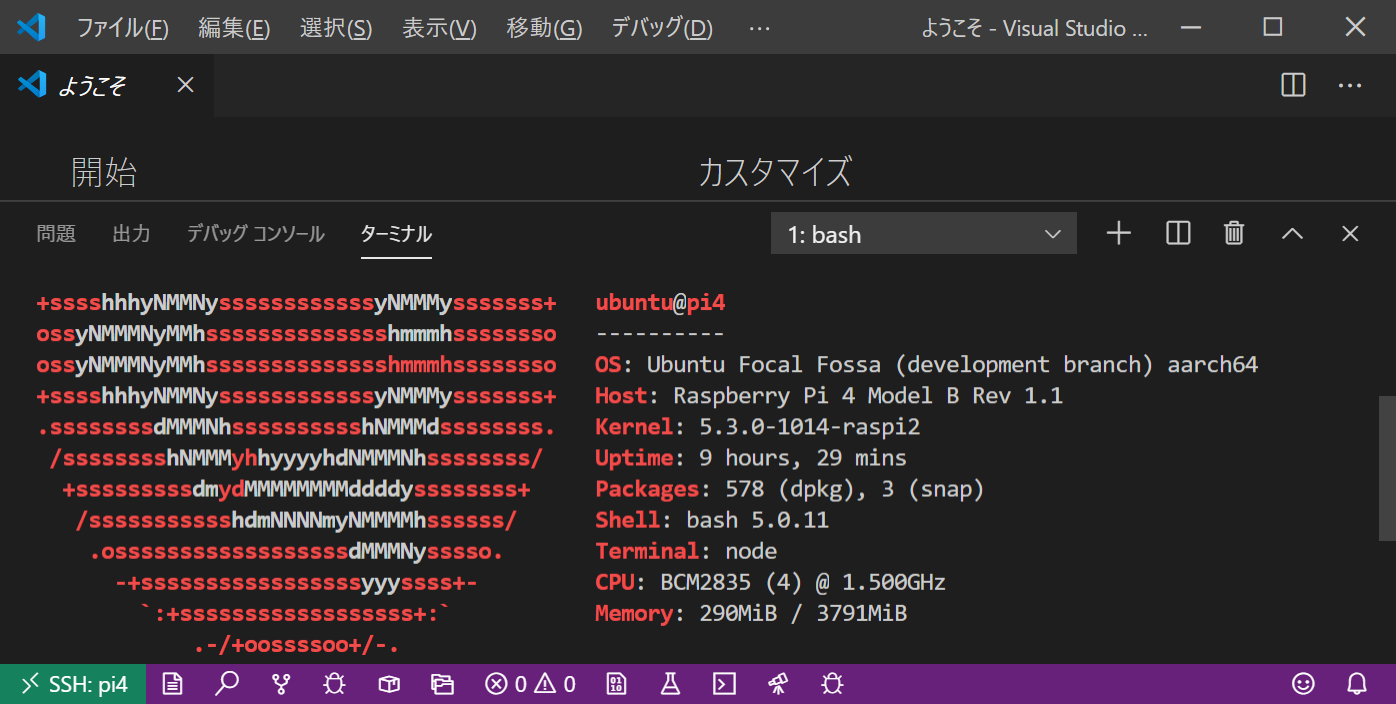
Visual Studio Code Remote - SSH / aarch64
https://code.visualstudio.com/docs/remote/sshVisual Studio Code のRemote SSH でaarch64 がサポートされていたので、Rasperry Pi 4 のUbuntu focal aarch64 に接続してみました。 環境クライアント Windows 10 Pro Insider Preview WSL 2 (Ubuntu 18.04.3 x86_64) Visual Studio Code 1.41.1 Remote Development 0.19.0 Remote SSH 0.48.0 サーバ Raspberry Pi 4B Ubuntu Focal(20.04) aarch64 構築SSH 接続の設定 WSL2 から鍵登録 $ ssh-copy-id -i /mnt/c/Users/hoge/.ssh/id_rsa.pub ubuntu@192.168.11.26 接続情報 C:\Users\hoge\.ssh\ssh_config# Read more about SSH confi...
2019-07-13
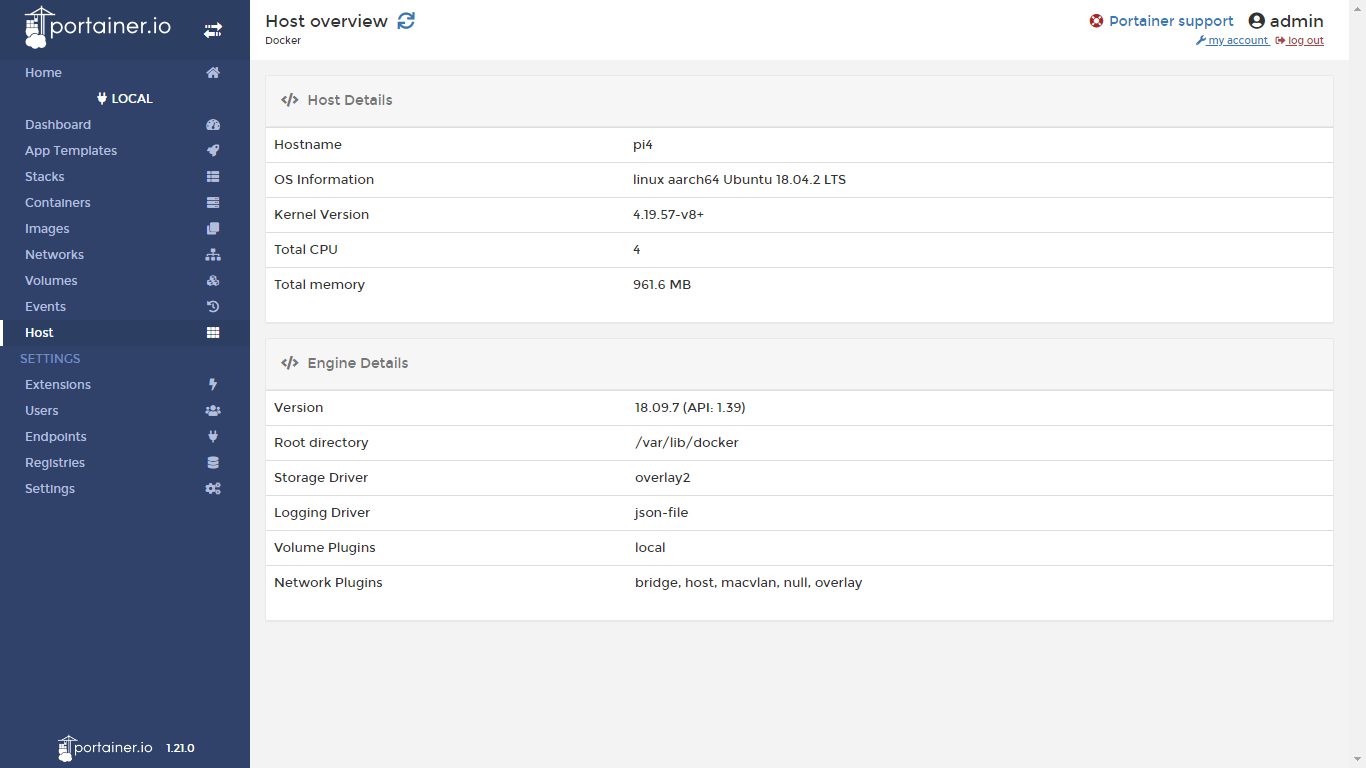
Raspberry Pi 4B + Ubuntu 18.04.2 64bit
https://blog.cloudkernels.net/posts/rpi4-64bit-virt/https://news.ycombinator.com/item?id=20410169Raspberry Pi 4B 用のUbuntu Server 18.04.2 64bit のイメージが公開されていたので試してみました。Docker 環境も構築されています。 UPDATE: 2019/7/14 軽量なイメージが公開されました。 https://cloudkernels.net/ubuntu-18.04.2-preinstalled-server-arm64+raspi4+kvm.img.xz 環境構築準備 Raspberry Pi 4B SDカード 32GB https://cloudkernels.net/rpi4-64-bit-kvm-docker.img.xz etcher で書き込み(2.5GB が8.07GB に展開される) 初回ブートに時間がかかる or reboot しないといけないかも root のパスワードは無し pi,...
2019-12-01
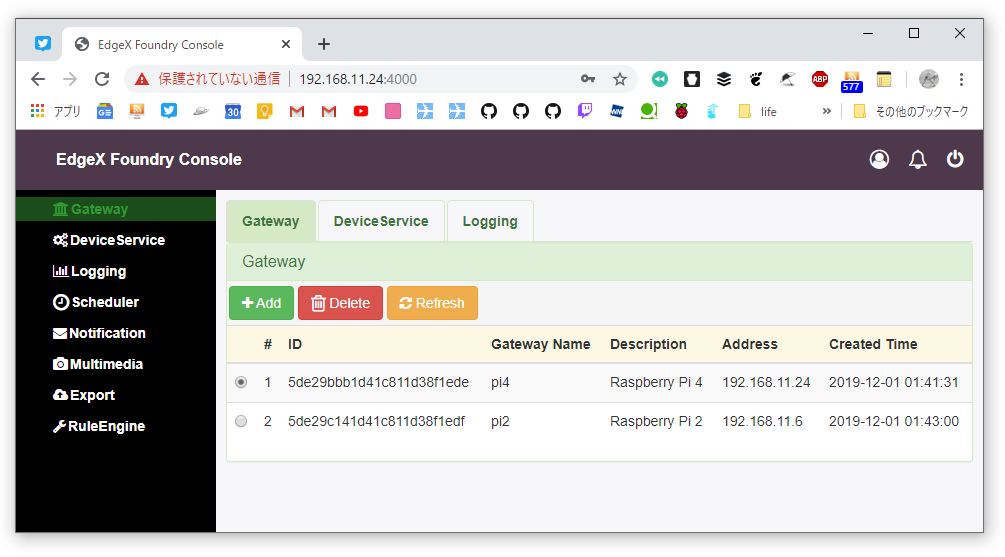
Raspberry Pi 4 IoT Edge Gateway
https://news.softpedia.com/news/you-can-now-turn-a-raspberry-pi-4-sbc-into-an-edge-gateway-with-ubuntu-19-10-528326.shtml Raspbery Pi 4 をエッジゲートウェイにしてみました。どうやって使うんだろう。 環境 Raspberry Pi 4B Ubuntu Server 19.10 aarch64 192.168.11.24 構築 Ubuntu Server 19.10 イメージのダウンロードhttps://ubuntu.com/download/raspberry-pi64-bit for Raspberry Pi 3 and 4 SD カードに書き込み Raspberry Pi 4 起動 接続とパスワード更新 $ ssh ubuntu@192.168.11.24 再接続とパッケージの更新 $ ssh ubuntu@192.168.11.24pi4$ sudo apt updatepi4$ sudo apt upgrade Edge Ga...
Comments