
SimpleScreenRecorder + PeerCastStation
SimpleScreenRecorder とPeerCastStation を使って、Linux デスクトップのスクリーンキャストをPeercast ネットワークに配信してみました。
SimpleScreenRecorder (Linux) |
http://www.maartenbaert.be/simplescreenrecorder/
http://www.pecastation.org/
PeerCastStation の起動
http://www.pecastation.org/ からPeerCastStation 開発版(1.7.9.1)のアーカイブをダウンロードして、展開します。以下のコマンドで起動します。
$ mono PeerCastStation.exe |
mono をサービスとして起動するには、
$ mono-service -d:/PATH_TO_PEERCASTSTATION -m:PeerCastStaion /PATH_TO_PEERCASTSTATION/PeerCastStation.exe |
PeerCastStation の配信設定
ブラウザでhttp://localhost:7144を開きます。開けない場合は、lsof -i -P でmono プロセスがリッスンしているポート番号を指定します。
リレー画面で「配信」ボタンを押して、以下を指定します。
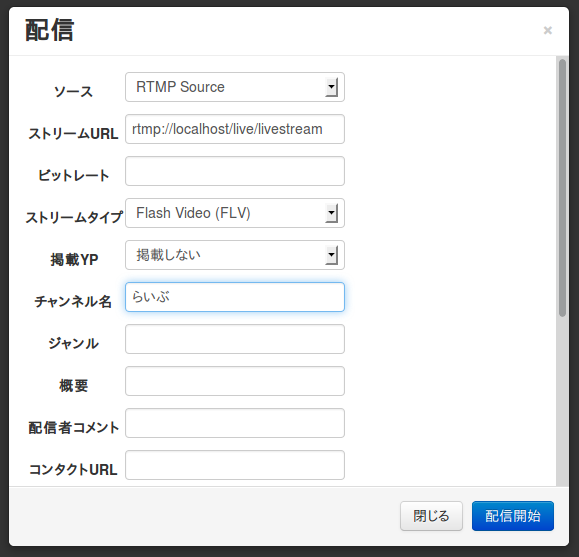
| 項目 | 設定値 |
|---|---|
| ソース | RTMP Source |
| ソースURL | rtmp://localhost/live/livestream |
| ストリームタイプ | Flash Video (FLV) |
| 掲載YP | (掲載する場合はYP選択) |
| チャンネル名 | (任意のチェンネル名) |
SimpleScreenRecorder の起動
$ sudo apt-get install simplescreenrecorder |
SimpleScreenRecorder でエンコード開始
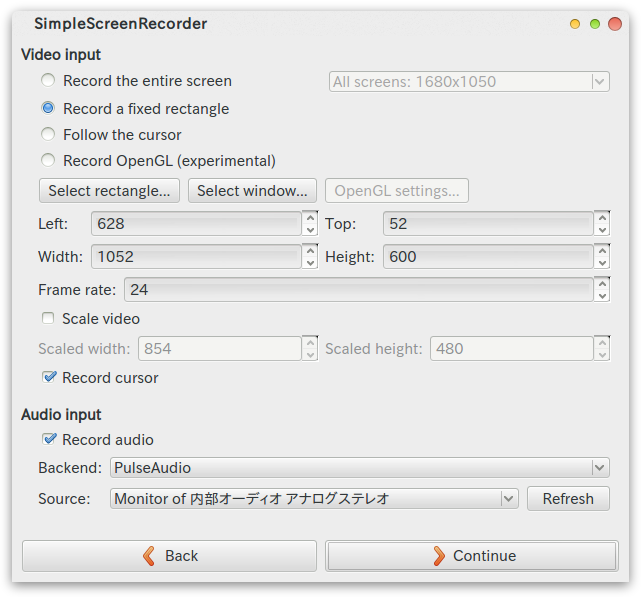
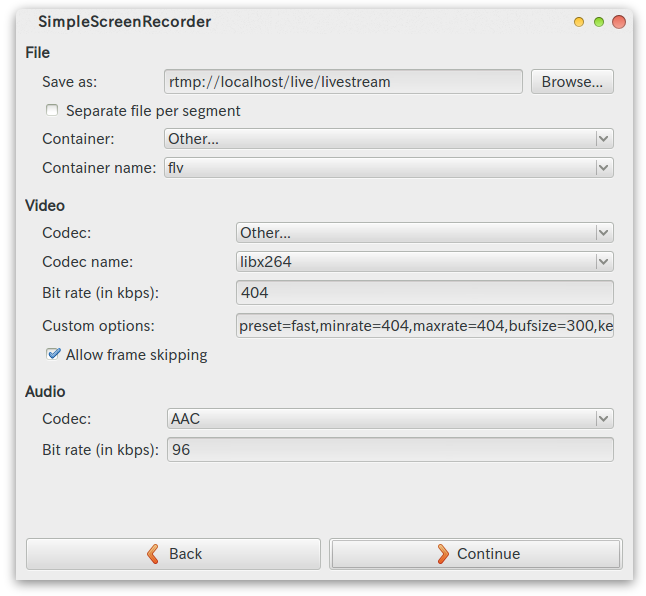
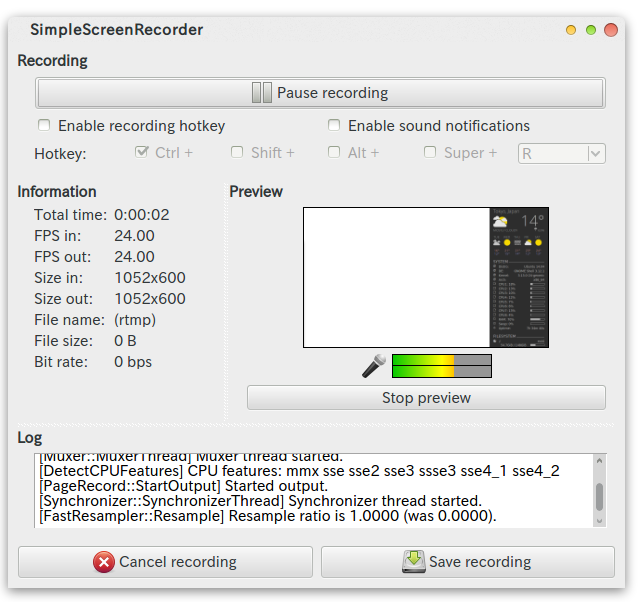
| 分類 | 項目 | 設定値 |
|---|---|---|
| File | Save as | rtmp://localhost/live/livestream |
| Container | Other… | |
| Container name | flv | |
| Video | Codec | Other… |
| Codec name | libx264 | |
| Bit rate (inkbps) | 404 | |
| Custom options | preset=fast, minrate=404, maxrate=404, bufsize=200, keyint=60 |
|
| Audio | Codec | AAC |
※ OpenGL から直接キャプチャする場合
http://www.maartenbaert.be/simplescreenrecorder/recording-steam-games/
Comments