GNOME Shell を拡張してみた7
GNOME Shell の上部パネルをauto hide にしてみた。
将来的には設定を切り替えられるようになるのかな。
dock 拡張もauto hide にしたいなぁ。
Related Articles
2014-03-01
Ubuntu GNOME 14.04 Beta 1
http://cdimage.ubuntu.com/ubuntu-gnome/releases/14.04/beta-1/ Ubuntu GNOME 14.04 ベータ1 が公開されたのでクリーンインストールしました。ついでにAndroid-x86 もインストールして、3OS のマルチブート環境にしました。 環境DELL Indpiron 1090すでにWindows 8.1 がインストールされています。この第3パーティションにインストールします。 インストール・Ubuntu GNOME 13.10http://cdimage.ubuntu.com/ubuntu-gnome/releases/14.04/beta-1/ $ sudo add-apt-repository ppa:gnome3-team/gnome3-staging$ sudo apt-get update$ sudo apt-get upgrade カスタマイズ$ LANG=C xdg-user-dirs-gtk-update アプリケーションの追加 audacious cairo-dock conky ...
2012-09-24
Changing the date format in nautilus 3.6 list view
https://bugzilla.gnome.org/show_bug.cgi?id=676898http://bugzilla-attachments.gnome.org/attachment.cgi?id=215060 nautilus 3.6 のリストビューでは、あえて更新日付の書式をシンプル(informal)にしているようです。これはこれでアリなのですが、やはり詳細表示されていた方が統一感があって使い勝手がよいような気がするので、昔のISO 日付書式になるようにカスタマイズしてみました。dpkg-buildpackage でfakeroot が効かなかったので、sudo で実行しています。 $ sudo apt-get build-dep nautilus$ mkdir nautilus && cd nautilus$ apt-get source nautilus$ dpkg-source -x *.dsc$ cd nautilus-3.* libnautilus-private/nautilus-file.c#define TODAY_TIME_F...
2024-09-22
GNOME 47
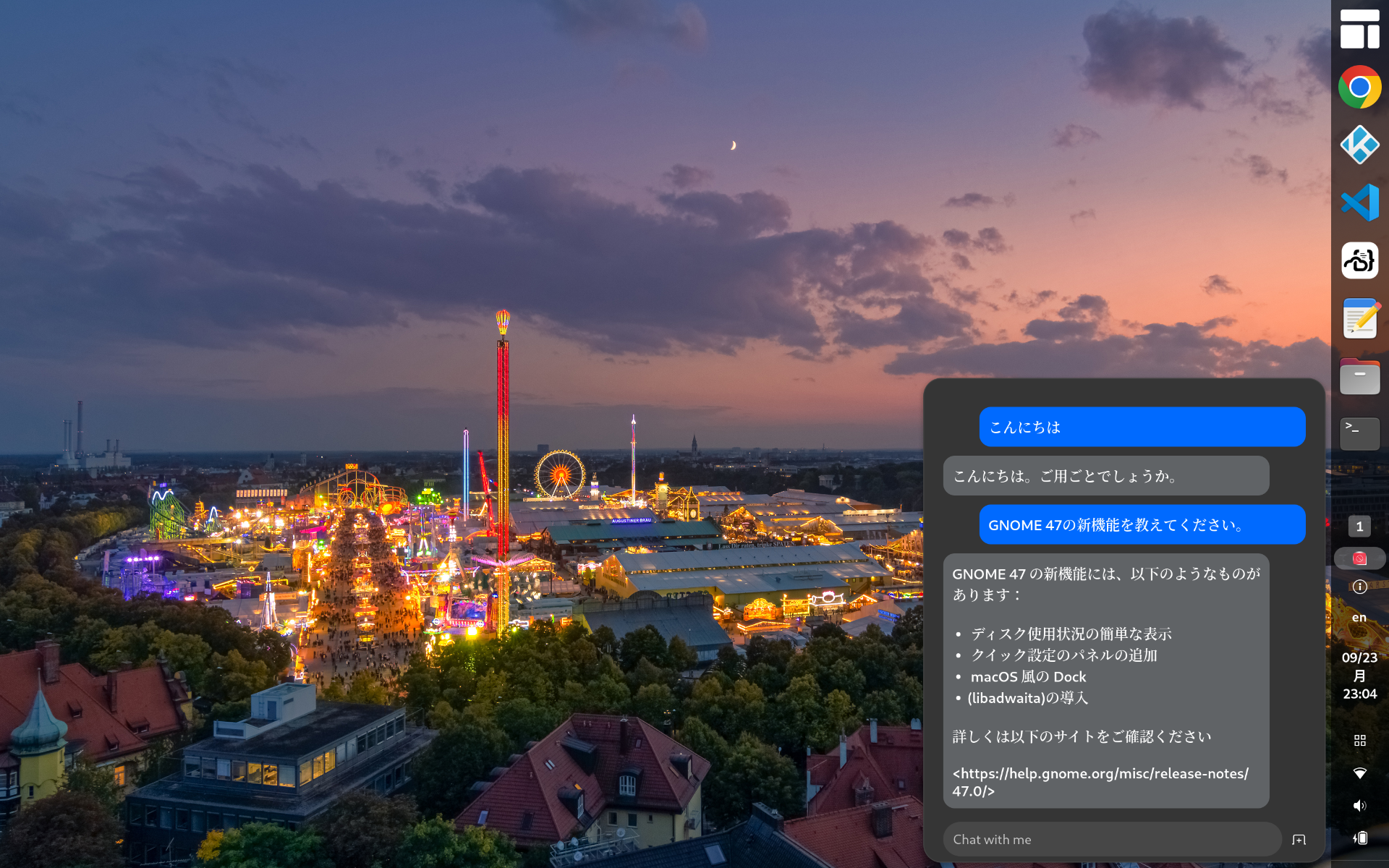
https://release.gnome.org/47/ GNOME 47がリリースされたのでインストールしてみました。 Chromeはtext-input v3に対応したのでWaylandモードで日本語入力可能です vscodeはWaylandモードで日本語入力に対応していません code-serverは日本語入力できます(Chromeだから)日本語入力中の文字列の背景が黄色になっているのはなんとかしたい GNOME Shell拡張のPenguin: AI Chatbotを使ってみましたhttps://extensions.gnome.org/extension/7338/penguin-ai-chatbot/とりあえずデフォルトの無料AIモデルに質問してみましたが調整が必要そうですね。。。 2025-02-04 更新タスクトレイのアイコン上にエラーが表示されるので修正する無効な値を指定しているicon_name行をコメントアウトするアイコンはstylesheet.cssで指定している extensions.js_init(extension) { // ...
2021-03-28
Ubuntu 21.04 Hirsute
https://launchpad.net/~shemgp/+archive/ubuntu/gnome-40Ubuntu 21.04 にGNOME 40 のPPA を設定してみました。 2021-04-07 追記 GNOME 40.0 でDash to Dock 拡張を導入してみました。https://github.com/ewlsh/dash-to-dock/tree/ewlsh/gnome-40https://github.com/micheleg/dash-to-dock/pull/1402 GNOME 40.0 でDash to Panel 拡張を導入してみました。https://github.com/philippun1/dash-to-panel/tree/update-to-gnome40https://github.com/home-sweet-gnome/dash-to-panel/pull/1303 2021-04-08 追記 Auto Hide Top Panel 拡張をGNOME 40 に対応させてみました。http://www.webupd8.or...
2012-08-21
GNOME Shell Focus Effect Extension
https://github.com/paradoxxxzero/gnome-shell-focus-effects-extension http://www.upubuntu.com/2012/08/how-to-install-gnome-shell-focus-effect.html GNOME Shell のFocus Effect 拡張を使ってみた。フォーカスの切り替えでウィンドウがアニメーションする。なんか楽しい。非アクティブなウィンドウは少し傾いて、サイズが小さく、色はグレーになる。スクリプトはとても小さいので、何かに応用できるかもしれない。副作用としては、非アクティブなウィンドウの選択に少しコツがいるようだ。また、何回か切り替えを繰り返した時に、ウィンドウが画面外に移動してしまう。その時は、[Alt]-[Space]で「移動」を選択して、ウィンドウを元の位置に動かすと回復できる。
2021-02-21
GNOME 40
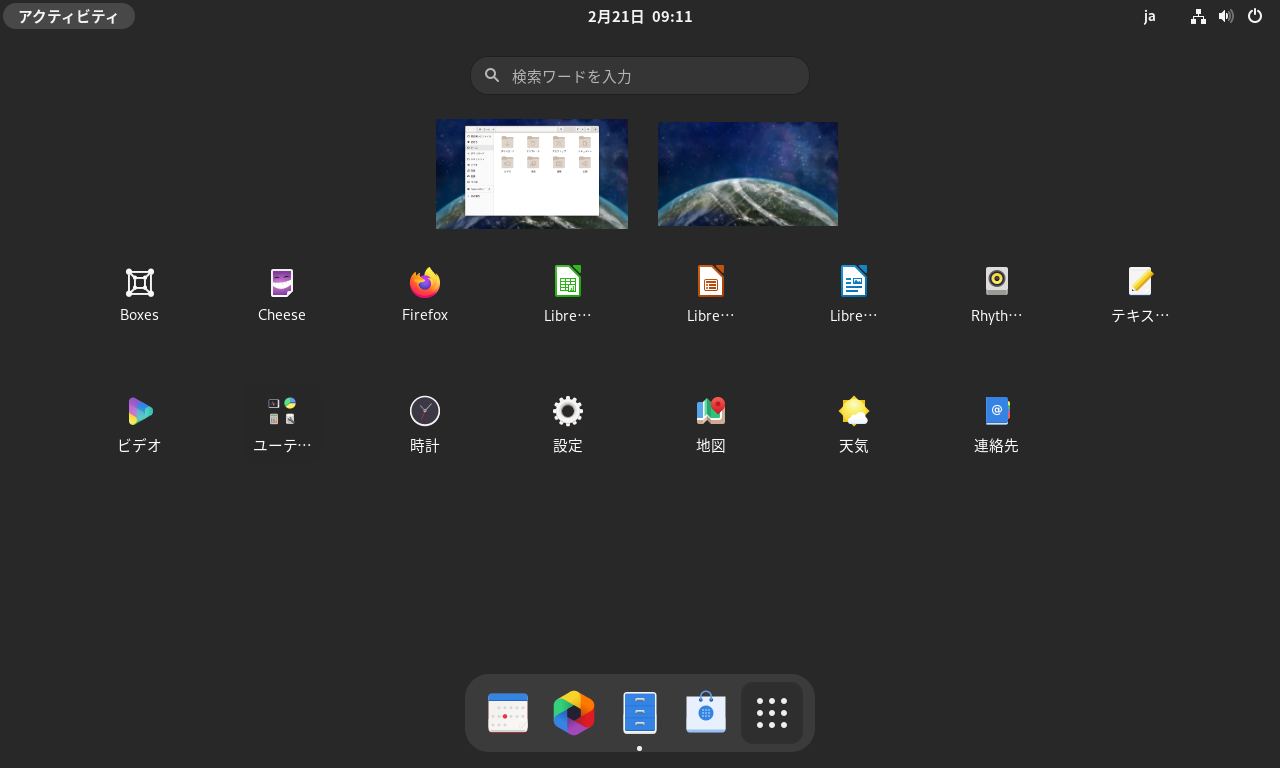
https://copr.fedorainfracloud.org/coprs/haeckerfelix/gnome-shell-40/ GNOME 40 アルファ版を起動してみました。 環境 Fedora 33 GNOME Shell 40.beta 構築 Fedora 33 インストールhttps://getfedora.org/ja/workstation/download/ アップデート $ sudo dnf update -y リポジトリ追加&アップデート $ sudo dnf copr enable haeckerfelix/gnome-shell-40 $ sudo dnf upgrade Fedora 33 との差分 バージョン確認 $ dnf list --installed | grep haeckerfelixglib2.x86_64 2.67.3-1.fc33 @copr:copr.fedorainfracl...
Comments